The MyBid blog is your expert guide to conversion traffic.
We share real-world case studies, insider tips, and practical guides for our
ad network. Learn how to master these tough verticals and run profitable
campaigns with our tools. No theory, just actionable advice to boost your profit.
[ Anti‑Detect Browsers That Actually Work in 2026 ]
09.06.2026Affiliate Marketing How to start?7 min
Contents
The anti-detect market has grown significantly over the last couple of years. The choice is huge. Below is a list of 10 browsers that currently perform the best. MoreLogin is listed first as one of the most convenient options for many users.
Why does a media buyer need an antidetect browser?
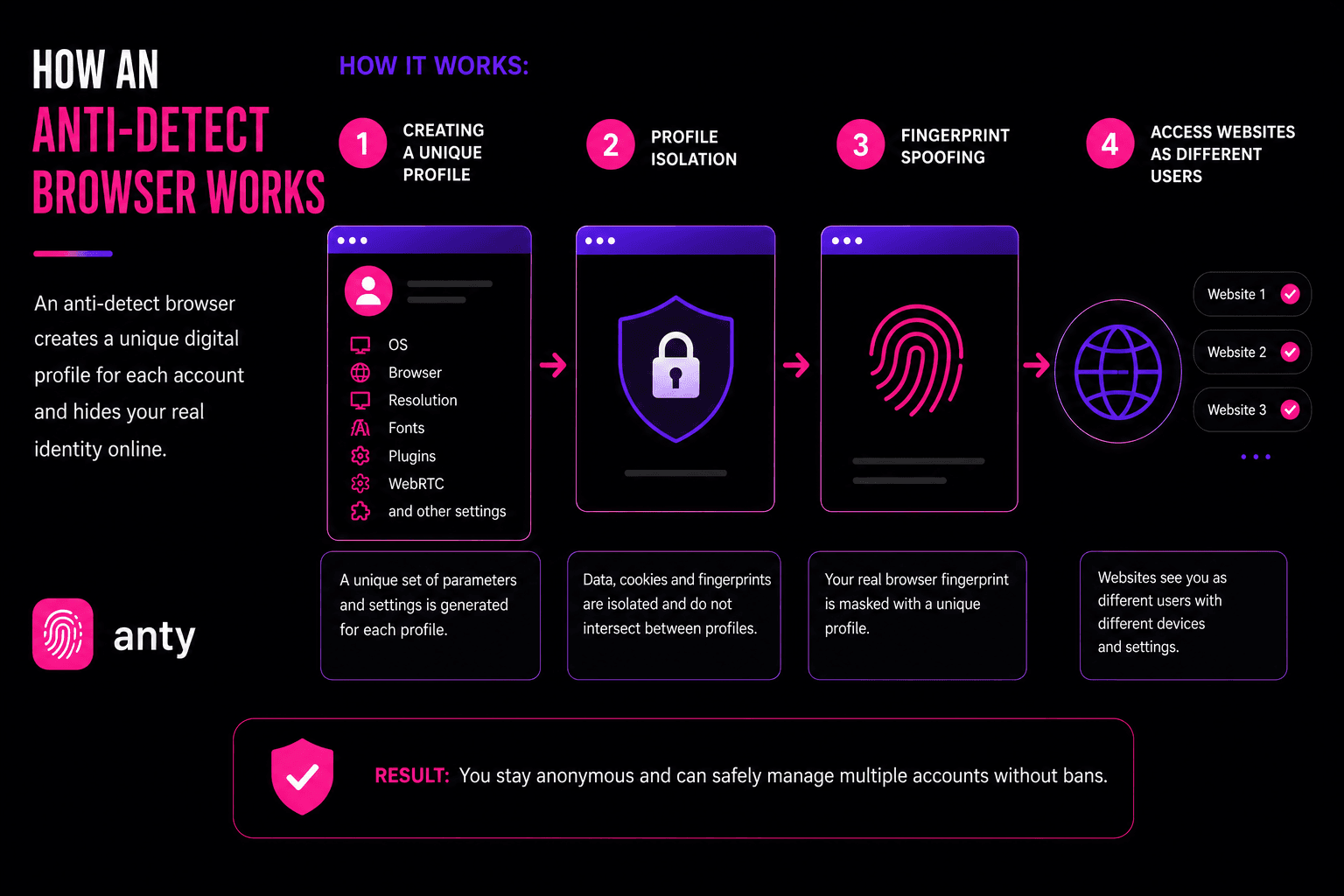
For a media buyer, an antidetect browser is the tool that makes it possible to safely manage dozens or even hundreds of accounts without leaving the same digital fingerprint. Platforms like Facebook, TikTok, and Google instantly link profiles through device signatures, so without fingerprint masking all accounts collapse the moment one of them triggers suspicion. An antidetect browser generates unique, realistic environments, hides technical overlaps, reduces bans, and allows campaigns to scale without constant losses. In practice, it’s the foundation of stable traffic operations — without it, arbitrage turns into an endless fight against blocks.
Read also:
MoreLogin
One of the most stable anti‑detect browsers on the market. It runs on Chromium and Firefox, allowing you to fine‑tune the fingerprint for almost any scenario. The interface is available in multiple languages, so it’s easy to understand. Key features – local profile encryption and natural fingerprints that pass checks even on complex sites with advanced fraud systems.
MoreLogin is often chosen by those who manage several hundred accounts and work in a team. There is an API for automation, and you can connect any proxies. The downside – the price is above average, but for serious tasks it’s justified.
Dolphin Anty
An anti‑detect browser that is very popular among affiliates. Simple, fast, intuitive interface. Profiles launch in 2‑3 seconds, no lag even with hundreds of profiles in the list. Many ready‑made templates for Facebook, Google, TikTok.
Dolphin Anty is specifically designed for media buyers – lots of automations, convenient bulk operations, good team collaboration. In terms of fingerprint customisation depth, it slightly lags behind the leaders, but for ad account management it’s more than enough. Prices are reasonable.
Multilogin
The oldest anti‑detect browser on the market, over ten years old. Two engines – Chromium and Firefox, plus you can emulate Windows, macOS, Linux, Android, and iOS. Very flexible settings, but the interface and overall complexity may scare off beginners. This is a tool for professionals who need maximum control.
Multilogin has a stable API that barely changes – important for those building account farms. Built‑in residential proxies and AI inside the interface. Downside – high price, especially for teams. But for corporate tasks and large projects, it’s one of the best options.
AdsPower
A Chinese anti‑detect browser with two engines – SunBrowser (Chromium) and FlowerBrowser (Firefox). Very popular due to low prices and a powerful RPA builder for routine automation. You can set up automated actions without code, saving a ton of time.
It has mobile fingerprints for iOS and Android, a synchroniser for bulk operations, and convenient team collaboration. The interface isn’t the prettiest and looks a bit overloaded at first, but the functionality is rich. Suitable for both a single affiliate and a small team.
GoLogin
GoLogin runs on its own Orbita engine. It’s considered one of the easiest anti‑detect browsers to use. Plus – there is a free plan, giving you 3 profiles forever. Built‑in proxies right in the app, which simplifies life for beginners.
Works everywhere – Windows, macOS, Linux, even has an Android app. Profiles sync across devices. Supports API, Selenium, Puppeteer, Playwright for automation. Good for starting out and for small tasks that don’t require ultra‑deep fingerprint customisation.
Octo Browser
A fast anti‑detect browser. Focus on speed and performance. Very clean interface, no clutter. Fingerprints can be set in detail, with emulation of different operating systems and even mobile devices.
Kernel updates come faster than many competitors. It is claimed that throughout their history there have been no data leaks or cyberattacks – unlike some other browsers. Price is moderate, no free plan. Suitable for those who value reliability and speed without extra hassle.
Kameleo
An anti‑detect browser for those who like to dig into settings. If you are not comfortable with technical details, better look for something simpler. Very deep fingerprint control – canvas, WebGL, WebRTC, client hints, geolocation, mobile profiles.
Supports multiple engines, separate apps for Windows and macOS. API and SDK for Python, JavaScript, C#, plus native support for Selenium, Playwright, Puppeteer. Excellent choice for developers and technically savvy affiliates.
Incogniton
A basic anti‑detect browser suitable for beginners. Relatively easy to use, but there is still a learning curve. Designed for managing profiles on social networks and e‑commerce.
Has a free plan, though limited in functionality. Can manage proxies, work in teams, perform bulk operations. Interface is slightly outdated, but it gets the job done. Enough for starting out.
Lalicat
A Chinese anti‑detect browser that allows you to manage up to 3,000 profiles in one workspace and distribute them among a team of up to 20 people. Deep fingerprint settings – fonts, WebGL, timezone, media, SSL, battery, Bluetooth.
Downsides: works only on Windows, outdated interface, limited API for automation. Mixed reviews. Still, for budget multi‑accounting in teams, it’s a working option.
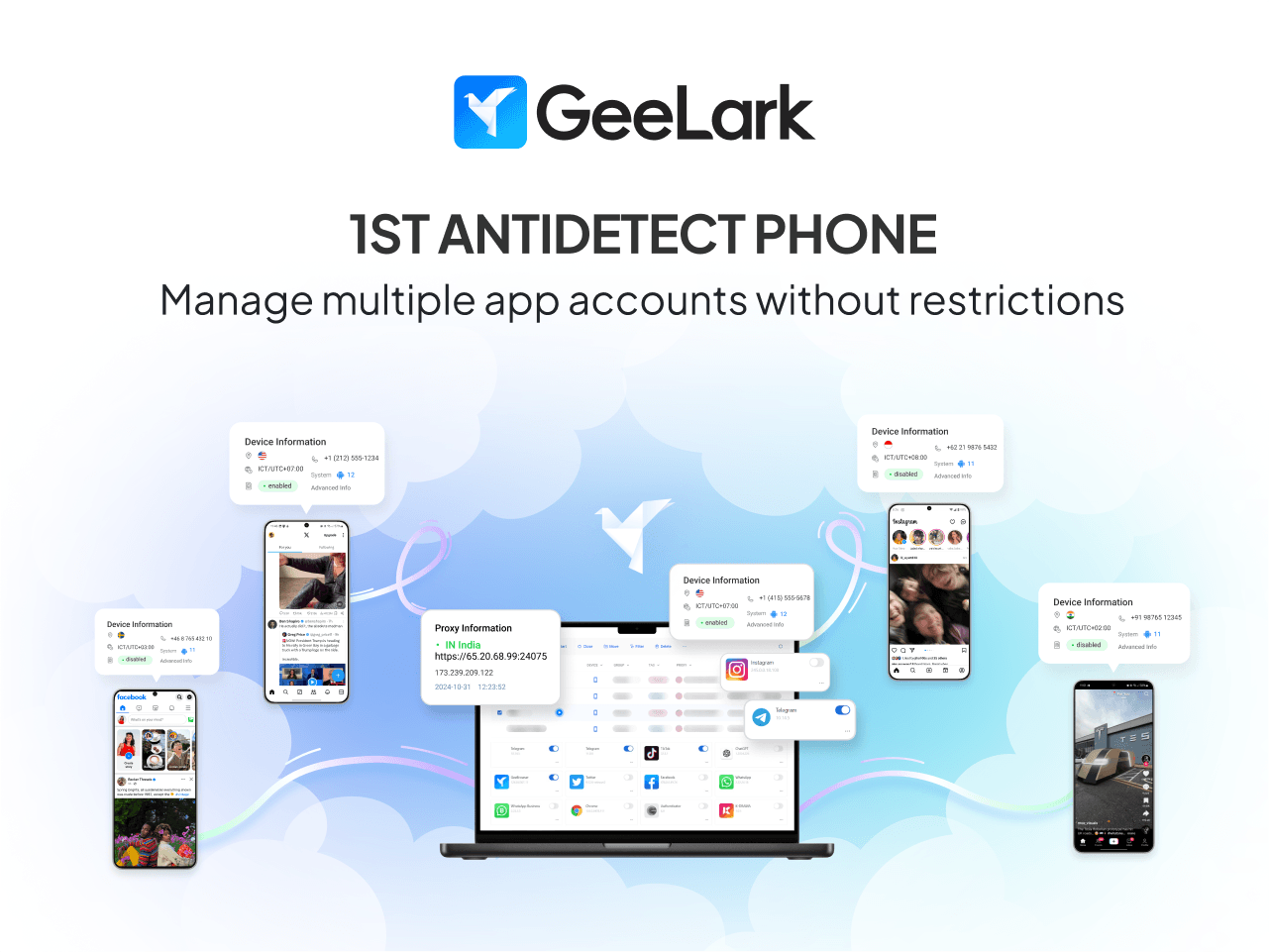
GeeLark
A cloud solution that provides remote Android profiles. Essentially, virtual phones in the cloud that you can manage from a browser. Ideal for those working with mobile apps – TikTok, Instagram, mobile Facebook.
Allows bypassing mobile checks and associations. Downside – not suitable for those who need regular desktop browser profiles. Price depends on the number of virtual devices.
Is Using an Anti-Detect Browser Legal?
A question that worries many. The short answer: an anti detect browser itself is legal. Such software is sold openly, its creators are legal companies, pay taxes, keep documentation. Using an anti‑detect browser to manage accounts is not a crime in itself.
However, almost all advertising platforms and social networks prohibit creating multiple accounts without permission in their terms of service. If caught, your accounts will be banned. No one will sue you for violating terms, but you won’t be able to restore access. The key risk is not criminal liability but bans and loss of working accounts.
How to minimise risks
Use quality proxies – residential or mobile, don’t skimp.
Don’t behave suspiciously – don’t like a hundred posts per minute, mimic real human behaviour.
Properly warm up accounts – don’t start with aggressive ad campaigns.
Regularly check fingerprint and proxy settings.
Understand that a Facebook account ban is not a criminal case but loss of access to the account.
How to Get Started with an Anti-Detect Browser (Step‑by‑Step)
For a beginner, the process might seem complicated, but in reality it’s simple.
Step 1. Choose a browser. Start with MoreLogin, GoLogin, or Dolphin Anty. Download and install.
Step 2. Buy proxies. For tests – cheap datacenter proxies. For serious projects – residential or mobile.
Step 3. Create your first profile. In the interface, click “create profile”. Most anti‑detect browsers automatically pick a plausible fingerprint for the selected country and operating system. You can manually adjust parameters.
Step 4. Attach a proxy to the profile. Paste the proxy into the corresponding field. Test on sites like whatismyipaddress.com to check the country and absence of leaks.
Step 5. Launch the profile and work. A browser window with a spoofed fingerprint and IP will open. Just like a normal browser. Register accounts, set up ads, do your business.
FAQ
What is an anti‑detect browser in simple words?
It’s software that replaces your device’s digital fingerprint. Websites think a different person with a different computer has visited.
Is it legal to use an anti‑detect browser?
The browser itself is legal. Violating platform terms of service (e.g., creating multiple accounts) can lead to account bans, but not criminal liability.
Which anti‑detect browser is best for Facebook?
MoreLogin and Dolphin Anty perform well. Much depends on proxy quality and proper account warm‑up.
Do I need a proxy with an anti‑detect browser?
Yes, absolutely. An anti‑detect browser changes the fingerprint but not the IP address. You always need a proxy.
How is an anti‑detect browser different from regular incognito mode?
Incognito doesn’t save history and cookies but doesn’t change the fingerprint. The site can easily tell you’re the same user. An anti‑detect browser creates a completely new identity.
How many profiles can I create in an anti‑detect browser?
Virtually unlimited. Professional plans support hundreds and thousands of profiles.
Can Facebook detect an anti‑detect browser?
With a low‑quality fingerprint or proxy – yes. With proper configuration and reasonable behaviour – almost never.
Outro
Anti‑detect browsers have become a standard tool for serious affiliate marketing. Without them, scaling in 2026 is much harder. Choose the right tool, combine with quality proxies, and test.
If you work with push and pop traffic, don’t forget about MyBid – you can buy quality volumes through it. Sign up, connect an anti‑detect browser, and take your income to the next level. Remember: the tool is just a tool; success ultimately depends on your approach and following security rules.